Get the apk48 App —
Play Aviator and Cricket Anywhere
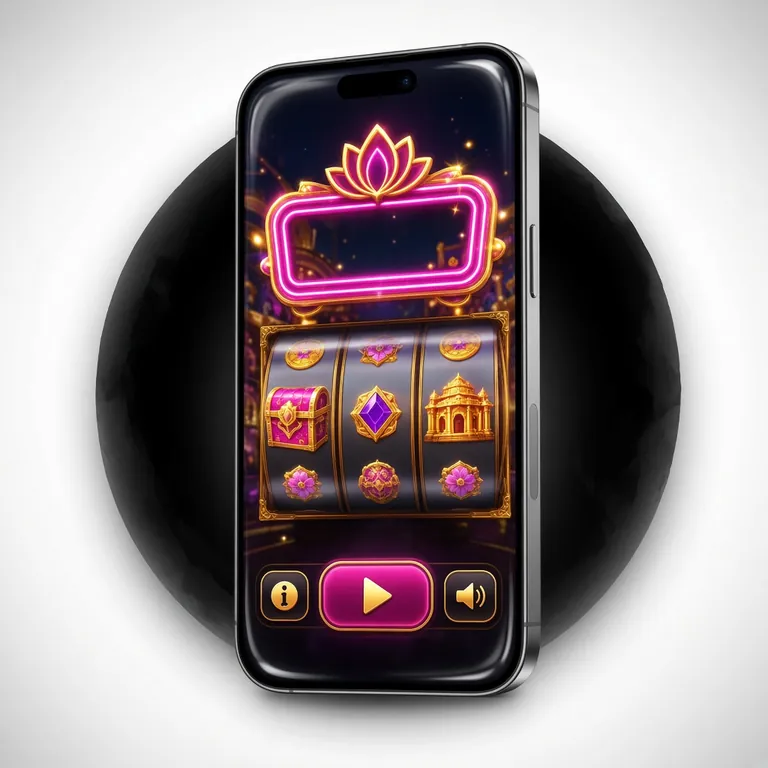
Free Android APK. Just 58 MB. Runs on Android 6.0 and up. Install in under two minutes, log in, deposit with bKash, and you're in. Slots, live casino, Crash games and cricket markets — all in one app.
Free · 58 MB · Android 6.0+ · Version 2.1.2 · Updated 14 Nov 2026

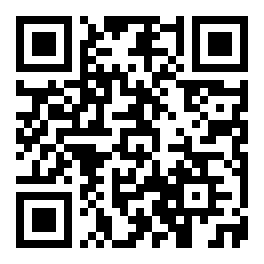 Scan to Download
Point your camera at the QR code — no Play Store needed.
Six Reasons the Mobile App Works Better Than Desktop
The app is built for Bangladesh mobile users — lower data use, faster loading, and push alerts when your bets settle.
Faster Load Times
Native Android code skips browser overhead entirely. Games like Aviator and Dragon Tiger open in under three seconds on a standard Grameenphone connection. The lobby doesn't reload when you switch tabs — your session stays warm in the background.
Push Notifications
Get instant alerts when your cricket bet settles, when a reload bonus drops, or when your withdrawal is approved. You choose which alerts you want inside the app settings. No need to keep refreshing the browser to check your balance.
One-Tap bKash Deposits
Your bKash number is saved after the first deposit. Reload your account with two taps — open the deposit screen, confirm the amount, approve on your bKash app. The minimum deposit is ৳250 and funds arrive in around three minutes.
All Games in One Place
Slots, fishing games, Crash, live casino tables and cricket/football markets are in a single scrollable lobby. The apk48 App pulls from providers including Pragmatic Play, CQ9, Red Tiger and Spribe — the same full library you get on the desktop site.
Low-Data Mode
Switch on Data Saver in the app menu. Slot thumbnails load in lower resolution, live streams buffer less aggressively, and background sync pauses on mobile data. Good for playing during the BPL or IPL when everyone is on the same tower.
Biometric Login
Link your fingerprint or face unlock after your first password login. After that, you can open your account in one touch — no typing, no saved password risks. Works on any Android 6.0+ device with a biometric sensor, including entry-level handsets.
Install Safely: What the APK Requests and Why
Android will show permission prompts when you open the app for the first time. Here is what the app needs and why it needs it — nothing is asked without a clear reason.
Camera & Biometrics
Used only for the optional face-unlock login. The apk48 App never captures, stores or transmits your camera feed. You can decline this permission and use your password instead — biometric login is opt-in and can be turned off at any time in account settings.
Internet Access
Required to load the game lobby, process deposits and connect to live casino streams. The app uses HTTPS for all traffic. No data is sent over plain HTTP. If your connection drops mid-game, the app reconnects automatically and your open bets are preserved server-side.
Notifications
Needed to send bet-settlement alerts and bonus reminders. Android 13 and above will show a pop-up asking for permission the first time the app starts. You can say "Don't allow" and still use every feature; you just won't receive push alerts. Change this later in your phone settings.
Storage Read/Write
The app caches game assets locally so they load faster on the second visit. It writes only to its own sandboxed folder — it cannot read your photos, documents or other apps. The cache is cleared automatically when the app updates and can be cleared manually in Android app settings.
Mobile App vs Browser: Which Should You Use?
Both routes give you access to the full game library and payment options. The app has a few practical advantages for daily players, while the browser is fine for occasional use or iOS devices.
| Feature | apk48 App (Android) | Mobile Browser | Desktop Browser |
|---|---|---|---|
| Load speed | Fastest — native cache | Good on 4G | Good on broadband |
| Push notifications | Yes | No | No |
| Biometric login | Fingerprint / face | No | No |
| bKash one-tap deposit | Saved number | Manual entry each time | Manual entry each time |
| Works offline (lobby cache) | Yes | No | No |
| Data saver mode | Built-in toggle | Browser setting only | Browser setting only |
| Full game library | All games | All games | All games |
| iOS support | Android only | Safari / Chrome | Any browser |
| Install required | Yes — allow unknown sources | No install | No install |
| Live cricket streaming | Optimised | Yes | Yes |
iOS users: open apk48.vin in Safari, tap the Share icon, choose "Add to Home Screen" for a shortcut that behaves like an app.
Install the apk48 App on Android — Step by Step
The whole process takes about two minutes. You need to allow installation from outside the Play Store once — Android will prompt you automatically at the right moment.
-
1
Allow Unknown Sources on Your Device
Go to Settings → Security → Install unknown apps (the exact path varies by phone brand — on Samsung it may be under Biometrics and Security). Find your browser or file manager in the list and toggle "Allow from this source" to on. Android will ask you to confirm — tap Allow. You can disable this again after installation if you prefer.
-
2
Download the APK File
Tap the Download APK button on this page. Your browser will download apk48.apk (58 MB) directly to your phone's Downloads folder. On a typical Dhaka 4G connection this takes under 30 seconds. If Chrome shows a warning saying the file "may be harmful", tap Download anyway — this is a standard Android prompt for any APK outside the Play Store.
-
3
Open and Install the File
Pull down your notification shade and tap the completed download, or open your file manager and go to Downloads → apk48.apk. Tap the file, then tap Install on the prompt screen. Android scans the package for a few seconds, then completes the installation. You do not need a Google account or Play Store access at any point.
-
4
Log In or Create Your Account
Open the apk48 App from your home screen. If you already have an account, enter your mobile number and password — or use fingerprint login if your device supports it. New to the platform? Tap Register inside the app to create a free account. The registration form takes about 90 seconds to fill in.
-
5
Deposit and Start Playing
Tap Deposit in the bottom menu. Choose bKash, Nagad, Rocket or Upay. Enter the amount (minimum ৳250), confirm in your payment app, and the balance shows in your apk48 wallet within about three minutes. Head to the game lobby, pick your game, and play. First-time depositors get a welcome bonus — see the bonus terms in the Promotions tab.
Download apk48 App
Direct APK download — no app store needed.
Download apk48.apkapk48.apk · 58 MB · Free
System Requirements
| Field | Detail |
|---|---|
| Version | 2.1.2 |
| File name | apk48.apk |
| File size | 58 MB |
| Android required | 6.0 or above |
| Last updated | 14 November 2026 |
| Price | Free |
| Language | English / Bangla |
| Minimum RAM | 1 GB recommended |
| Internet required | Yes (Wi-Fi or mobile data) |
No iOS App Store version. iPhone and iPad users can play at apk48 Casino via Safari.
Common Install Problems and How to Fix Them
Most install issues come from one of three things: the unknown-sources toggle is off, storage is full, or an older version is blocking the new one. The table below covers the five most reported problems.
| Error / Problem | Likely Cause | Fix |
|---|---|---|
| "Install blocked" message | Unknown sources permission is off for the browser or file manager you used to open the file | Go to Settings → Security → Install unknown apps, find the app you used to open the APK, and toggle "Allow from this source" to on. Then try installing again. |
| Download stops at 0% or stalls | Weak mobile data signal or the page session timed out before the download finished | Switch to Wi-Fi or move to a better signal area. Reload this page and tap Download APK again. Clear your browser cache first if the same thing happens twice. |
| "Not enough storage" prompt | Device has less than 58 MB of free internal storage available | Free up space: delete unused apps or move photos to an SD card. The APK itself needs about 58 MB to download, plus roughly 60 MB more after unpacking. After clearing space, re-download. |
| App crashes immediately after opening | Incomplete download (file is corrupted) or the device is running Android 5.x or below | Delete the downloaded file and download it again fresh from this page. If the phone is on Android 5 or below, it will not support the app — use the mobile browser version instead. |
| "App not installed" after tapping Install | An older version of the apk48 App is already installed and conflicting with the new package signature | Go to Settings → Apps → apk48 and uninstall the old version. Then run the new APK installer again. Your account data is stored server-side — uninstalling does not affect your balance or bet history. |
If none of the above solves the problem, contact our 24/7 Live Chat support directly from the apk48 website. Have your device model and Android version ready — the agent will walk you through it.
Download the apk48 App — Free for Android
-
Instant bKash & Nagad Deposits
Minimum ৳250. Funds land in roughly three minutes. Your bKash number is saved after the first use — reloads take two taps.
-
Push Alerts for Bets and Bonuses
Know the moment your cricket bet settles or a reload drops — without refreshing a browser tab.
-
SSL-Encrypted and Safe to Install
The APK is signed, virus-scanned and hosted on our own server. No Play Store detours. Enable "Unknown Sources" in Android settings and you're set.
-
Full Game Library On Your Phone
Slots, fishing games, live casino, Crash and cricket markets all load from one place. No browser tabs, no session timeouts between games.
Point your camera here — no Play Store needed. Download goes straight to your phone.
Questions About the Mobile App
These are the questions our support team gets most often about downloading, installing and updating the app.
Is the apk48 APK file safe to download?
Yes. The APK is served directly from apk48.vin over HTTPS. The file is scanned before each release and has not been modified by third parties. Android may show a generic "downloaded from browser" warning — this appears for any APK that comes from outside the Play Store and does not indicate a problem with this specific file. Download only from this page, not from third-party mirror sites.
Why does Android say "Install blocked" when I try to install?
Android blocks APK installation by default to protect users from random downloads. You need to grant permission once, specifically for the browser or file manager you used to open the file. Go to Settings → Security → Install unknown apps, find the app in the list, and enable it. After installing apk48, you can turn the permission back off. The apk48 App itself will never ask for this permission — it is a one-time Android system setting.
How do I update the apk48 App to the latest version?
When a new version is available, the app shows a banner on the home screen prompting you to update. Tap Update Now — it re-downloads the APK and installs it over the existing version automatically. Alternatively, come back to this page and tap Download APK again. The installer will detect the older version and upgrade it. Your account, balance and bet history are unaffected because all data is stored on our servers.
Does the apk48 App work on iOS or iPhone?
Not directly — Apple restricts sideloaded APK files entirely. iPhone and iPad users can play the full game library by opening apk48.vin in Safari. For a shortcut that opens like an app, tap the Share icon in Safari and choose Add to Home Screen. This creates a full-screen bookmark. All games, deposits and withdrawals work the same way. We will announce if a dedicated iOS app becomes available.
Can I play apk48 Casino games inside the app?
Yes — the full game lobby is available inside the app. That includes slots from Pragmatic Play, Red Tiger and Habanero; fishing games from CQ9; Crash games like Aviator; live casino tables including European Roulette; and card games like Teen Patti. All 4,600 games load from the same library as the desktop site. No game is locked to desktop-only.
What happens to my account if I uninstall the app?
Nothing. Your account, wallet balance, bonus balance and bet history are all stored on apk48 servers — not on your device. Uninstalling the app simply removes the client software. Log back in from any browser or after reinstalling the APK and everything will be exactly as you left it. If you are worried about security, you can also change your password from the account settings page before uninstalling.
How do I deposit with bKash after installing the apk48 App?
Open the app, tap Deposit in the bottom navigation bar, and select bKash. Enter the amount — minimum ৳250 — and tap Confirm. You'll be shown a bKash merchant number and reference code. Open your bKash app, go to Send Money or Payment, enter the merchant number and reference, and approve. Your apk48 balance updates within about three minutes. For step-by-step screenshots, see our deposit guide.
Ready to Play? Download the apk48 App Now
Free to install. 58 MB. Works on any Android 6.0+ phone. Set up takes two minutes — after that you're in the lobby.
- SSL Encrypted
- Safe APK
- 24/7 Support
- Android 6.0+
- bKash · Nagad · Rocket · Upay
- 18+ Only